
Software Offline
83 MB
Virus-Free Verified
Livestream Youtube, Facebook,TikTok Pro Free
Published: Sep 14, 2026 • 0 downloads
In-content Ad
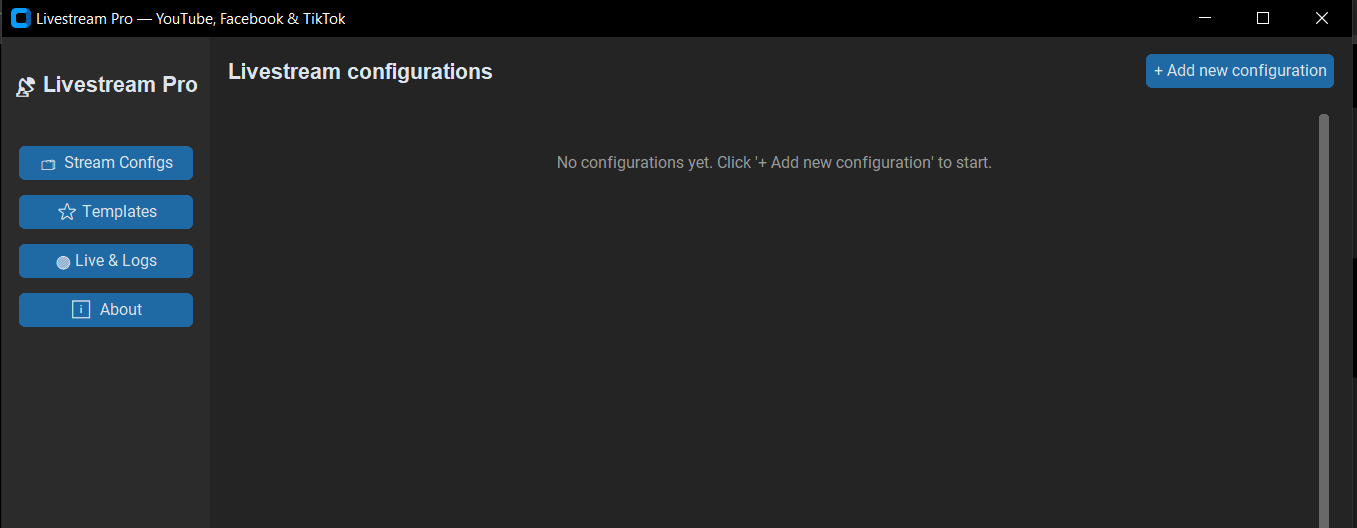
Software Screenshots & Interface Preview
Detailed Description
Introduction
In today’s fast-paced digital world, having a reliable, fast, and modern desktop application for live video streaming is essential. Live Stream Engine is a high-performance desktop application designed to simplify real-time video broadcasting and media streaming.
Built with a sleek, modern user interface and a robust streaming core, Live Stream Engine delivers smooth, low-latency streaming without consuming excessive system resources. Whether you are broadcasting live video feeds, managing camera streams, or running dedicated media workflows, Live Stream Engine provides a professional and intuitive solution.
Key Features of Live Stream Engine
1. Modern & Sleek Dark-Mode Interface
Say goodbye to complicated and outdated controls. Live Stream Engine features a clean, responsive, dark-themed user interface designed for effortless navigation and maximum productivity.
Intuitive Dashboard: Easily access stream controls, view connection statuses, and manage settings in one clean layout.
Cross-Platform Aesthetic: Built with modern desktop UI standards to ensure visual elegance and smooth user interaction.
Real-Time Visual Feedback: Clear status indicators keep you informed about active stream health and operational states.
2. Low-Latency High-Performance Streaming Core
At the heart of the application is an optimized streaming engine engineered for speed and stability.
Smooth Frame Handling: Ensures steady frame rates and continuous video processing even during high-load operations.
Stable Connection Management: Built-in connection resilience minimizes buffer delays and dropped frames during live broadcasts.
Seamless Media Source Integration: Supports efficient input handling for continuous video streaming.
3. Persistent Smart Configuration Management
Never lose your stream preferences again. Live Stream Engine comes with an integrated configuration store that automatically retains your preferred settings.
Auto-Save Settings: Automatically saves resolution choices, server endpoints, and user preferences upon exit.
Quick Presets: Switch between different streaming setups instantly without manual re-configuration.
Safe Local Storage: Keeps your stream configuration files secure and readily accessible on your computer.
4. Lightweight & Standalone Desktop Performance
Unlike bulky, resource-heavy streaming applications, Live Stream Engine is engineered for fast startup speeds and minimal CPU/RAM usage.
Fast Launch Times: Starts up instantly with zero clutter or background delay.
System Resource Efficient: Consumes minimal memory and CPU resources, keeping your PC running smoothly while streaming.
Fully Standalone: Packaged into a compact desktop application requiring no complicated setups or external runtimes.
How Live Stream Engine Works
Launch the App: Open the application on your computer to access the modern control panel.
Configure Your Stream: Enter your streaming destination, adjust your video settings, or load your saved presets.
Start Streaming: Click the Start button and broadcast high-quality, real-time video instantly.
Why Choose Live Stream Engine?
User-Friendly: Designed for both beginners and experienced users who need a clean, straightforward streaming utility.
Extremely Fast: Optimized for real-time video handling with minimal latency.
Reliable: Engineered for continuous broadcasting stability without mid-stream crashes.
Download Live Stream Engine Today!
Ready to upgrade your streaming setup with a sleek, high-speed desktop application? Experience seamless, low-latency live streaming today!